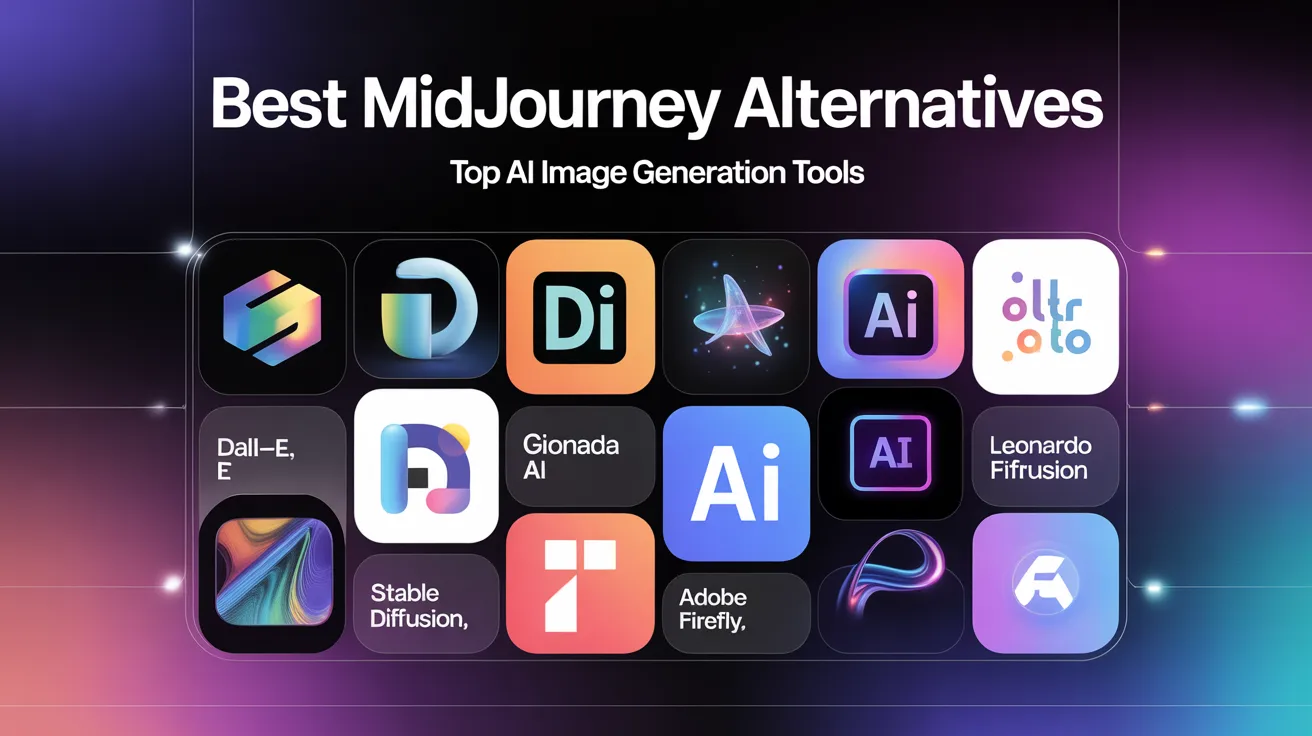
Best MidJourney Alternatives for Creative AI Image Generation
Artificial Intelligence image generation has fundamentally reshaped digital creativity. A tool like MidJourney is a pioneer in artistic AI visuals, but there’s a growing ecosystem of powerful alternatives, each tailored to different creative goals, workflows, and output styles. Whether you’re a designer, marketer, entrepreneur, or hobbyist, exploring the best MidJourney alternatives lets you unlock greater flexibility, quality, and control in your projects.
This deep guide walks you from understanding the concept to practical workflows, real use cases, expert tips, and actionable strategies you can use today.
Why AI Image Generation Tools Matter Today
AI image generation tools convert text prompts into images using advanced machine learning — giving users a fast and powerful way to produce visual content. These platforms are no longer novelty tools; they’re core assets for digital creators, because:
- Visual content performance drives engagement online
- Demand for unique imagery outpaces design budgets in many fields
- Creativity workflows benefit from rapid iteration
- Teams need scalable solutions that go beyond stock photos
In short: AI imagery is becoming essential in creative workflows where speed, quality, and flexibility matter.
What MidJourney Does Well
MidJourney has become well known for:
- Expressive, artistic outputs
- Community‑driven styles
- Rich creative language understanding
- Strong stylistic diversity
However, it isn’t always the right choice for every project, particularly where:
- Photorealistic imagery is needed
- Precise control over composition is required
- Visuals must meet tight brand requirements
- Licensing terms matter for commercial usage
This is where tailored alternatives come in.
Key Factors to Consider When Choosing a MidJourney Alternative
Not all generative AI tools are created equal. When evaluating alternatives, consider these core factors:
Output Style
Does the tool create stylized art, photorealistic scenes, or design‑ready visuals?
Control and Customization
Can you adjust composition, lighting, color, and object placement with precision?
Licensing and Rights
Are the generated images licensed for commercial use without restrictions?
Integration with Workflows
Does it integrate with tools you already use (like design suites or APIs)?
Speed and Accessibility
How quickly can you generate, revise, and export images?
Best MidJourney Alternatives — In Depth
Here’s a deep dive into the strongest contenders, their strengths, and how they fit specific use cases.
DALL·E Overview
Often cited alongside MidJourney, DALL·E excels at natural language understanding and delivers a great mix of realism and creativity. It makes complex prompts easier to navigate.
Strengths
- Great at conceptual clarity
- Simple prompt refinement
- Balances stylized art and realism
- Strong for editorial and marketing content
Ideal Use Cases
- Creating visuals from nuanced product descriptors
- Editorial illustrations that tell a story
- Marketing creatives with thematic precision
Practical Example
A boutique brand used this tool to generate product scenarios for campaign visuals by specifying lighting, setting, emotion, and even seasonal context — all from text prompts alone.
Pro Tips
To get the best results:
- Break down prompts into subject, mood, setting, and lighting
- Use short descriptive modifiers
- Combine prompts with reference images when possible
Stable Diffusion Overview
Stable Diffusion is an open‑source powerhouse that gives you more customization at the engine level. You can run it locally, customize models, and integrate it with plugins.
Strengths
- Open access (no proprietary lock‑in)
- Supports local deployment
- Wide ecosystem of plugins and extensions
- Community‑driven model improvements
Ideal Use Cases
- In‑house creative pipelines
- Custom image datasets
- Projects requiring model fine‑tuning
Practical Example
A small game studio trained a customized version on their art assets, enabling consistent character renders and environmental art directly based on narrative prompts.
Pro Tips
- Use community‑built models for niche style generation
- Pair with GUI tools to make workflow faster
- Protect your hardware when deploying locally
Adobe Firefly Overview
Adobe Firefly emphasizes brand‑ready assets with commercial licensing, making it attractive for professional designers and enterprise teams.
Strengths
- Built with design workflows in mind
- Tight integration with creative suites
- Commercial usage rights included
- Advanced style transfer and editing tools
Ideal Use Cases
- Asset creation for campaigns
- Logo concepts and branding visuals
- Marketing materials that must meet brand guidelines
Practical Example
A design team used Firefly to generate variation concepts for campaign banners, then imported outputs into their design suite for final refinement — saving weeks of manual design time.
Pro Tips
- Use generated visuals as starting points — not final assets
- Combine text prompts with native design tools for best results
Canva AI Image Generator Overview
Canva’s AI creator is built for ease of use within a broader design canvas — which makes it great for users who want quick, integrated outputs without complexity.
Strengths
- Extremely beginner‑friendly
- Integrated within a design editor
- Good for presentations, social graphics, and simple branding
- Fast iteration and editing
Ideal Use Cases
- Quick social media visuals
- Content marketing materials
- Visual elements for presentations
Practical Example
A small business owner used this tool to generate and refine promotional imagery for weekly posts — all without leaving the Canva interface.
Pro Tips
- Start with templates and refine generated visuals
- Use simple prompts that describe content purpose and tone
How to Get Better Results From AI Imagery Tools
No matter which tool you choose, these strategies massively improve output quality.
Structure Your Prompts Like a Designer
Break down prompts into:
- Main subject
- Style and mood
- Composition and lighting
- Perspective and color palette
Example: “A minimalist product flatlay on matte background with soft shadows, pastel tones, clean lighting, and sharp focus.”
Use Iterative Refinement
Start with a basic version and refine in rounds. Each iteration can:
- Add context
- Adjust lighting or depth
- Narrow or expand style
Utilize Reference Images
Many tools now let you upload images in prompts. This gives the model specific visual cues — improving relevance dramatically.
Combine Tools
You don’t have to stick with one platform:
- Use a photorealistic tool for backgrounds
- A creative art‑focused model for stylized elements
- A design suite to refine and polish
This hybrid workflow yields high‑quality, design‑ready visuals.
Common Mistakes (And How to Avoid Them)
Even seasoned creators fall into pitfalls with AI imagery. Here are the biggest ones and how to avoid them:
Vague Prompts
Why it fails: The model guesses what you want.
Fix: Add context — describe setting, mood, and style.
Skipping Iterations
Why it fails: You miss better results that only come from refinement.
Fix: Always generate multiple batches and improve prompts.
Ignoring Licensing
Why it fails: Some platforms restrict commercial use.
Fix: Confirm terms before using images for business.
Using Outputs as Final Assets
Why it fails: AI tends toward imperfections.
Fix: Use generated images as starting points and refine in design tools.
Comparing MidJourney and Its Top Alternatives
| Feature / Tool | Creative Flair | Realism | Control | Licensing | Workflow Integration |
|---|---|---|---|---|---|
| MidJourney | Excellent | Medium | Moderate | Varies | Community tools |
| DALL·E | High | High | High | Clear | Editing tools |
| Stable Diffusion | Very High | High | Very High | Open Source | Plugin ecosystem |
| Adobe Firefly | Balanced | High | High | Commercial Friendly | Suite Integration |
| Canva AI | Moderate | Moderate | Low | Included | Full editor |
This comparison highlights that no single tool is perfect. The best choice depends on your goals.
Real Words From Users (Contextual Stories)
Story 1: Transforming Social Content
A freelance content creator found MidJourney’s results too stylistic for clean product images. After switching between DALL·E and Canva’s integrated generator, they developed a workflow where:
- DALL·E generated core imagery
- Canva polished it with typography and layout
- Results improved engagement by 20–30%
Story 2: Branding on a Tight Budget
A micro‑startup didn’t have access to professional photographers. Using Stable Diffusion locally, the team built a visual asset library — then enhanced those assets in a design suite. The cost savings freed budget for marketing campaigns.
Practical Implementation (Step‑by‑Step Guide)
Here’s a workflow you can follow today:
- Define Your Visual Goal
- What type of image do you need?
- What emotion or message should it convey?
- Choose the Right Tool
- Photorealism? Choose realism‑focused tools
- Concept art? Choose stylized tools
- Craft Your Prompt
- Be descriptive
- Include style keywords and context
- Generate Multiple Versions
- Don’t settle for the first batch
- Refine and Edit
- Use native editing or external software
- Export with Correct Settings
- Use appropriate resolution and format
- Validate Licenses
- Confirm your rights to use the image
- Incorporate into Projects
- Add to campaigns, designs, or presentations
Expert Tips to Master AI Image Generation
- Keep a prompt library you can reuse
- Always mention composition and lighting
- Pair text prompts with image references
- Use community forums to learn new techniques
- Test outputs in small batches before scaling
Forward‑Looking View: The Future of AI Imagery
AI image generation is evolving rapidly. We’re moving toward:
- Greater control and customization
- Better integration with design software
- Improved ethical and licensing frameworks
- Tools that understand complex narratives
- Better workflows for collaborative teams
This means you’ll have more options, more power, and more efficiency — as long as you choose the right tools for your tasks.
Frequently Asked Questions (with In‑Depth Answers)
What are the best MidJourney alternatives if I want photorealistic images?
Photorealistic image generation requires models trained to understand real‑world lighting, perspective, and object accuracy. Tools like DALL·E and Adobe Firefly are designed with this in mind — they translate prompts into images that resemble real photography, with accurate shadows, color balance, and proportions. When creating product images or contextual visuals for marketing, prompt specificity matters. Describe the scene in detail — subject, environment, lighting, angle — and the model will produce outputs that feel grounded and believable. Photorealistic results are essential for e‑commerce visuals, branding materials, and presentations where authenticity boosts trust.
How do I maximize creative control when using AI image generators?
To gain control beyond default outputs, structure your prompts carefully. Break them into components: main subject, composition, lighting, color scheme, and style cues. For example, instead of saying “generate a logo,” say “a minimalist logo with geometric shapes, navy blue and gold color palette, centered composition, and modern typography.” Many tools support iterative refinement — generate several versions, analyze what’s working, then tweak prompts to improve. Uploading reference images gives another layer of control, anchoring outputs to specific visual cues.
Can I use AI‑generated images commercially without legal issues?
Not all platforms offer the same licensing terms. Some tools grant unrestricted commercial rights, while others require purchases or subscriptions for commercial use. Always check the license before incorporation into business projects. Platforms like Adobe Firefly and certain versions of Stable Diffusion provide commercial usage options, but clarity varies. Understanding licensing protects you from copyright complications and ensures your assets are safe for clients, campaigns, and products.
Which tool is best for beginners who want simple, ready‑to‑use designs?
Beginners benefit from tools that minimize complexity and integrate editing directly. A platform with a simple interface and built‑in editing (like Canva’s AI image generator) lets you create and refine visuals without switching applications. It’s ideal for social media posts, simple marketing assets, and content that doesn’t demand advanced control. Start with basic prompts, then use drag‑and‑drop tools to refine composition, layout, and text.
How can I combine multiple tools in my creative process?
A hybrid workflow is one of the most effective strategies. Start with a generative tool that matches your core need — realistic textures, artistic flair, or structural precision. Generate several image options and then import them into your primary design tool (illustrator, presentation software, etc.) for final touches. For example, you might generate concept visuals in one platform, refine color and typography in another, and finalize layout in your design suite. This approach plays to each tool’s strength and elevates the final result.
Summary: Key Takeaways
- AI imagery is essential for modern creatives
- MidJourney is powerful, but alternatives offer different strengths
- Choose tools by output style, control level, and licensing
- Structured prompts improve results dramatically
- Hybrid workflows yield the best creative outcomes
Recent Posts
Why Your Blog Gets Traffic But No Clicks (3X Your CTR Fast)
You check Google Analytics. The numbers look solid—thousands of impressions, steady organic traffic rolling in. But then you see the ugly truth: your click-through rate is hovering at 1.2%, and your phone isn’t ringing with leads. Sound familiar? This is the silent killer of blogging success. You’re winning the visibility battle but losing the engagement...
Read More
Top AI Side Hustles That Require Zero Investment: The Complete Beginner’s Guide
The landscape of earning money online has fundamentally shifted. What once required expensive software, years of training, or significant startup capital can now be accomplished with nothing more than a laptop, an internet connection, and free artificial intelligence tools. The barrier to entry hasn’t just been lowered—it has been demolished. Whether you are a student...
Read More
Unlock the Power of AI: How Beginners Are Making $500/Month with AI Tools
Last year, I was stuck in the same cycle most people face when trying to earn extra income online. I spent hours creating content, designing graphics, or handling repetitive tasks, only to see minimal returns. Then I started experimenting with AI tools—not as a magic button, but as smart assistants that multiply effort. Over several...
Read More